Costs on purchase orders
Available on: Pro Plus.
The cost on a purchase order line fills in from the cost Stockie has saved for that product, which is not always the same as the cost per item in Shopify.
Where the cost comes from
Stockie stores a supplier default cost per variant - the last cost you saved for it. That is what auto-fills when you add the product to a new purchase order.
Shopify has its own cost per item field. The two are separate, and they can differ. If a purchase order shows a cost you were not expecting, it is usually because the saved default is older than the Shopify value, or was typed onto a previous order.
Saving a cost for next time
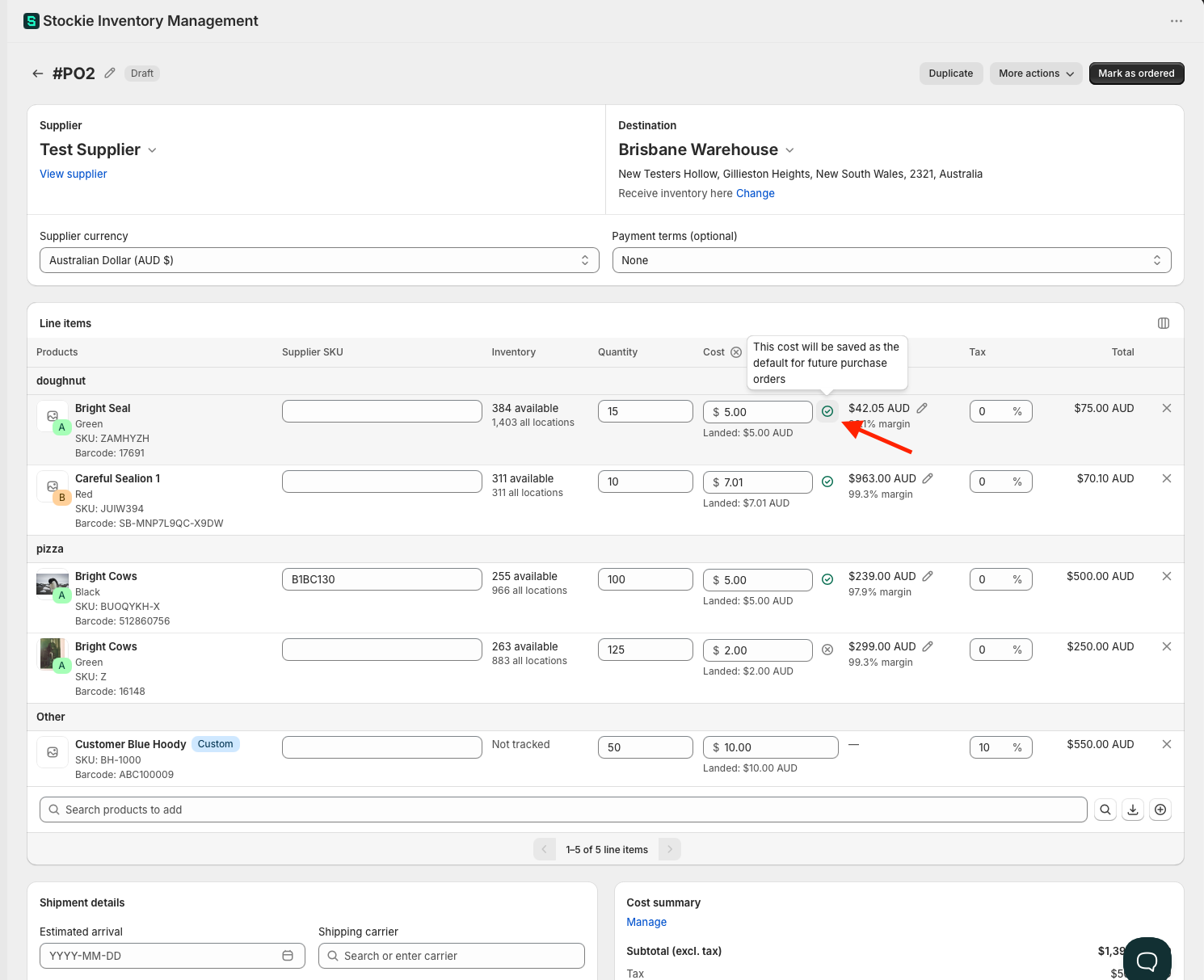
Each line carries a tick beside its cost. Tick means the cost you have entered is saved as that product's default and fills in on future orders. Cross means it applies to this order only.
Click it to switch, and hover for a reminder of which way it is set - it reads "This cost will be saved as the default for future purchase orders" or "This cost will not update the default cost".
If the same product appears on more than one line, only one of them can update the default. Stockie will tell you so when you try to set a second, so decide which line carries the cost you want remembered.
Zero costs are never saved
A zero usually means a cost is missing rather than the product genuinely being free, so Stockie treats it as unknown rather than as a price.
The tick is unavailable while a line's cost is 0.00 - hovering explains why - so a zero cannot become a product's default. Stockie will not push a zero back to your Shopify cost field either. Enter a real cost and the tick becomes available.
Working in your supplier's currency
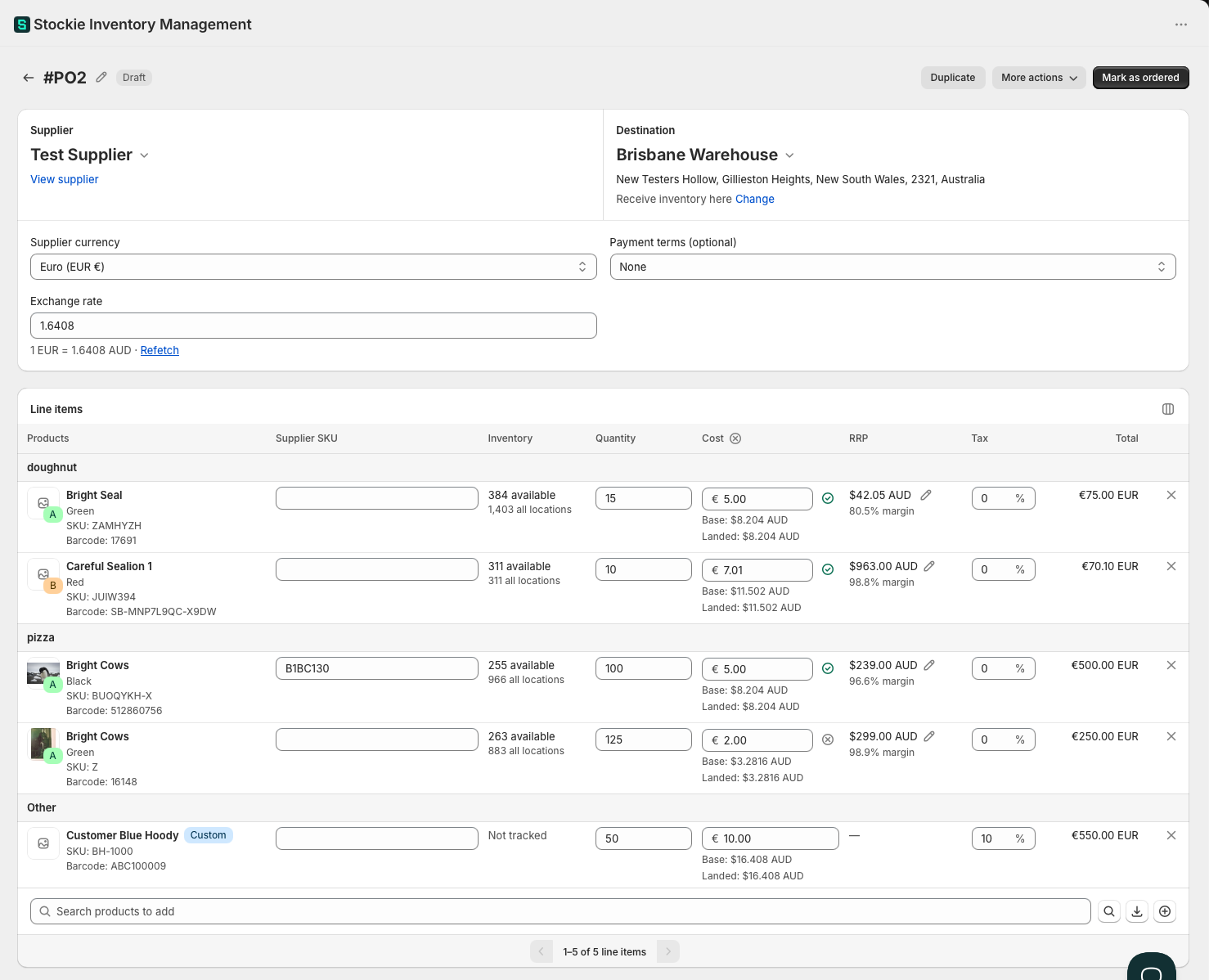
If a supplier invoices you in another currency, set the supplier currency on the purchase order before you enter or import costs. The values you type stay as entered and the totals show in that currency.
Stockie needs an exchange rate to relate that to your store currency. If a rate is briefly unavailable, creating the order can fail - try again shortly.
Set the currency before you get far. It locks once the order has its first receipt, and it locks while the order has invoices or payments recorded against it. In the second case you can delete those to unlock it; after a receipt it is fixed.
Changing the supplier on a draft or an ordered purchase order can change the currency with it. Where the new supplier uses a different currency and you have already entered a cost, Stockie asks which currency to keep. Switching relabels the amounts you typed rather than converting them.
Fixing a wrong default
Open the line, correct the cost, and leave the checkmark ticked. That overwrites the saved default from then on.