Custom purchase order numbering
Available on: Pro Plus.
Purchase orders are numbered automatically. You can change the prefix and set the next number, which is useful if you are carrying a numbering scheme over from another system.
Setting your prefix
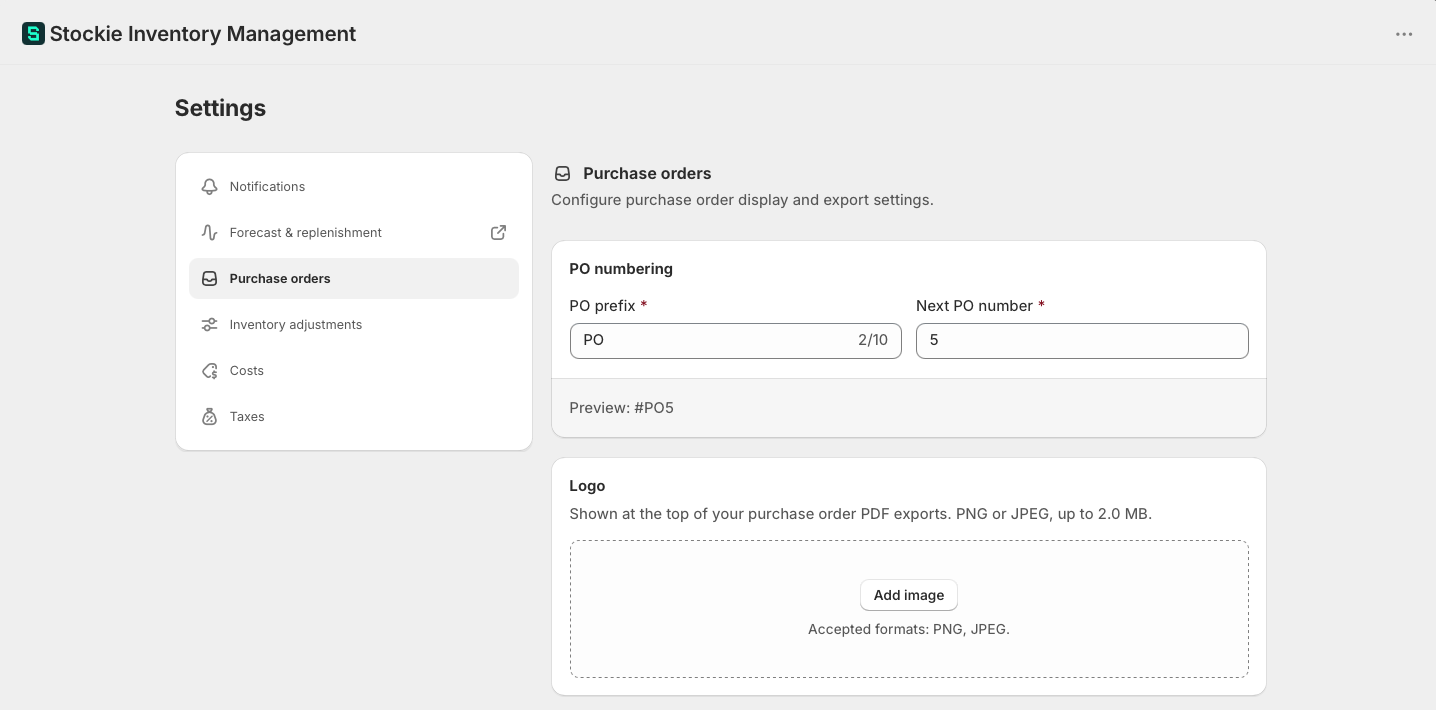
Under Settings → Purchase orders , set PO prefix. It accepts letters, numbers, hyphens and underscores, up to 10 characters.
RET cannot be used as a PO prefix, in any mix of capitals, because it is reserved for supplier returns. Returns are always numbered with RET and keep their own sequence, so your PO prefix and Next PO number only ever apply to purchase orders.
Setting the next number
Next PO number sets where the sequence continues from. If you are moving across from another system and want to carry on from where you left off, set it here.
It has to be a positive whole number.
Set it above your highest existing number. Purchase order numbers have to be unique, so pointing the sequence back at numbers you have already used will stop the next order being created.
What changes and what does not
Changing the prefix or next number affects purchase orders created afterwards. Existing orders keep the numbers they already have.
Naming an individual order
A purchase order can carry a name of its own, which is shown in place of its number. Open the order and edit the name at the top.
Leave it blank and the order shows its number as normal. A name has to be unique among your live orders.
This is the route for one-off cases - a supplier who insists on their own reference, or an order you want to find by something more memorable than a number.
Imported orders
Purchase orders brought across from another system do not keep their original numbers. Each one is given the next number in your Stockie sequence, and its original reference is carried over as the order's name - so an order that was PO 1234 in your old system appears under a name containing 1234 while holding a new Stockie number underneath.
That has two consequences worth knowing:
- Your list shows a mix of names and numbers, which is expected rather than a fault.
- Sorting by purchase order does not give you chronological order. Imported history is numbered at the point of import, so it sorts after orders you already had, whatever its original dates.
Sort by a date column for chronological order.