Invoices, payments and overdue orders
Available on: Pro Plus.
You can record supplier invoices against a purchase order and track what has been paid, so the orders you still owe on are visible without leaving Stockie.
Recording an invoice
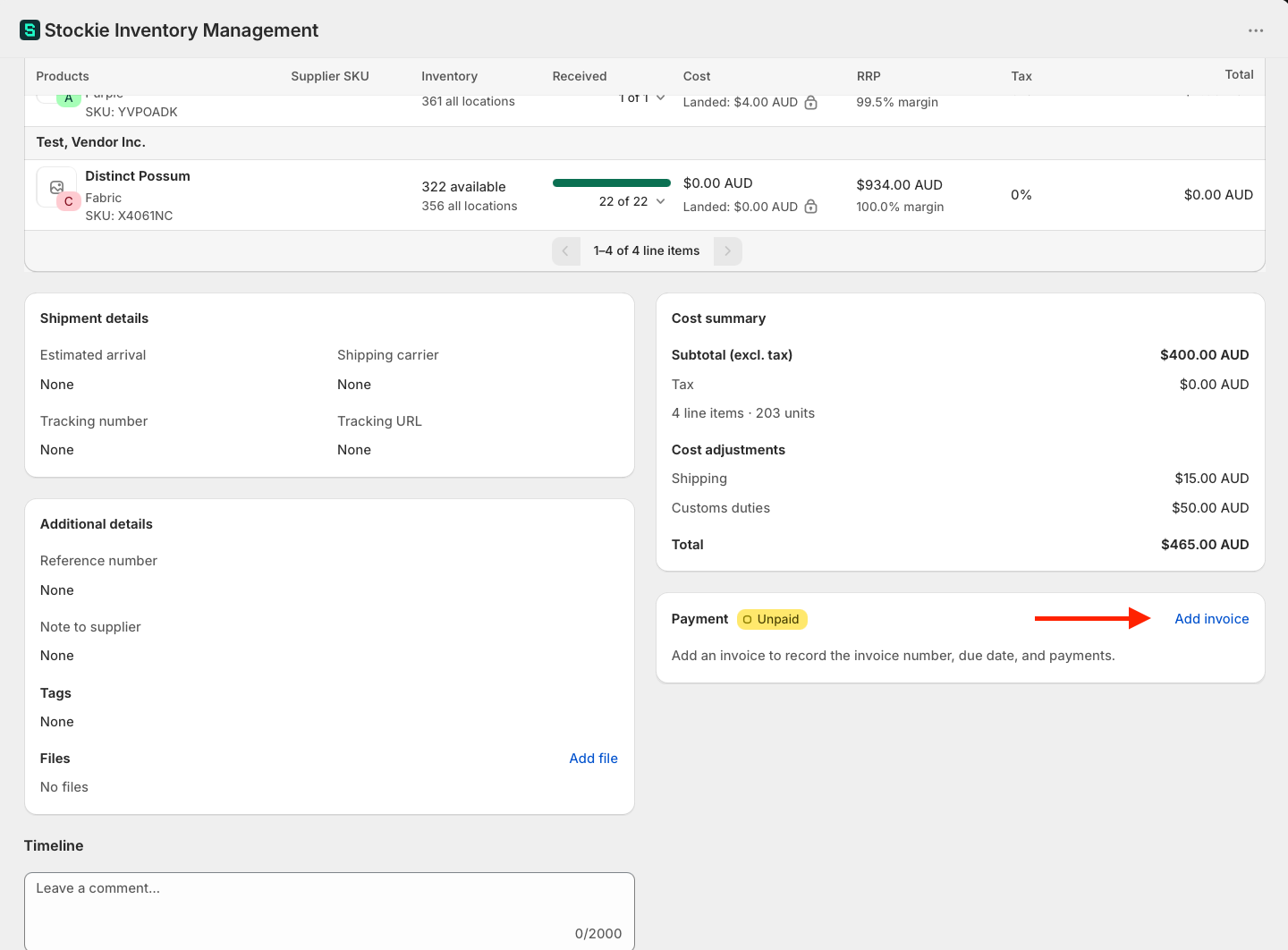
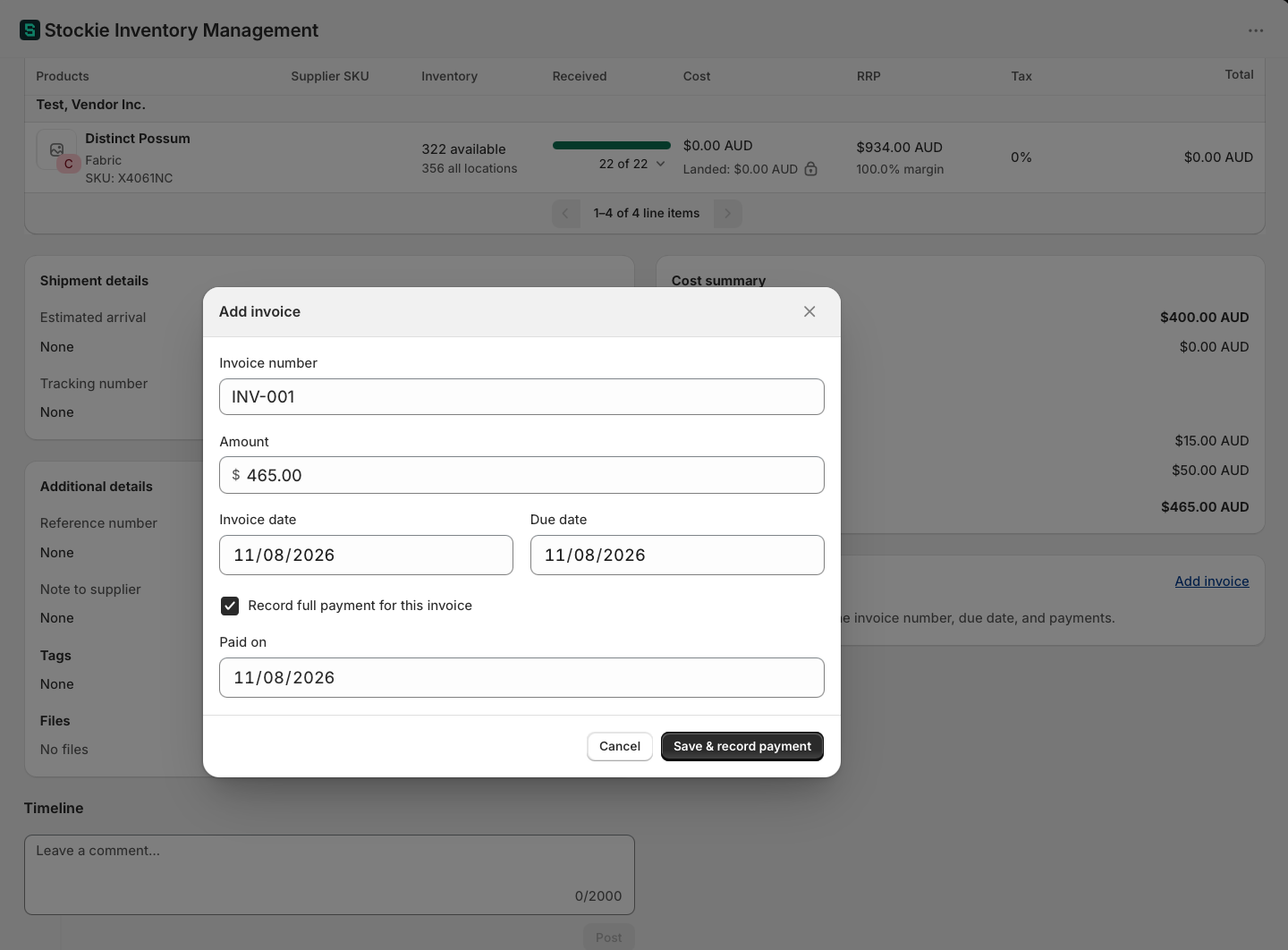
Open the purchase order and click Add invoice on the Payment card, then enter its Invoice number, Invoice date, Due date and Amount.
Recording payment
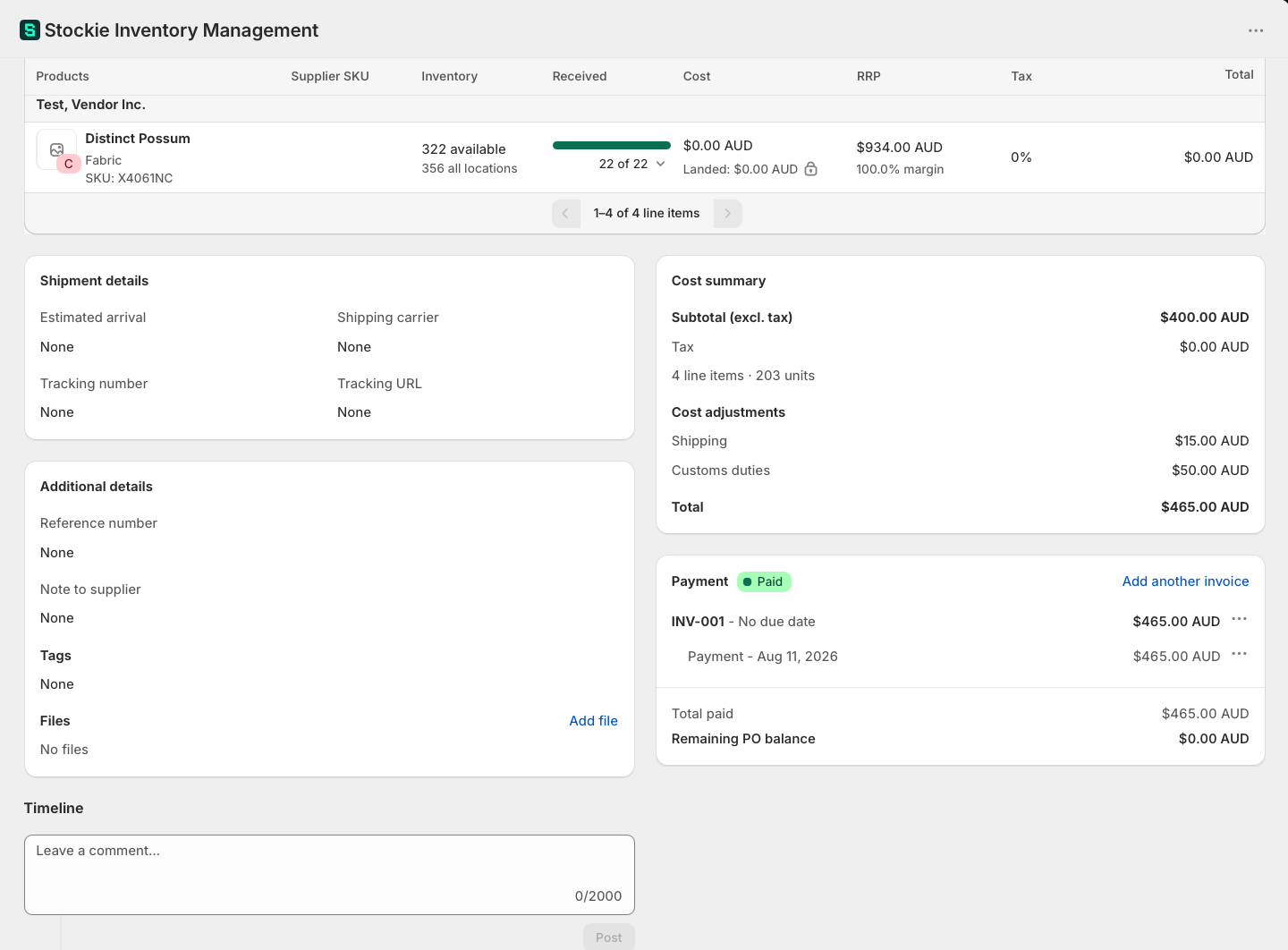
Against a recorded invoice you can mark payment, including a Paid date. There is an option to record full payment for an invoice in one step.
The payment statuses
| Status | Means |
|---|---|
| Unpaid | Nothing has been paid. This is where every purchase order starts |
| Partially paid | Some of what is owed has been paid, but a balance remains |
| Paid | Settled in full |
| Untracked | The order predates payment tracking. See below |
A new purchase order is Unpaid from the moment you create it, whether or not you have recorded an invoice against it. Recording an invoice does not change the status on its own - paying does.
Untracked
You will only see Untracked on orders that came from elsewhere: purchase orders imported from Stocky, and historical orders that predate payment tracking in Stockie.
It means Stockie has no payment history for the order and is not claiming any. Untracked orders are left out of your outstanding balance, so they do not distort what you are owed to pay.
Record an invoice against one and it rejoins the normal statuses. Nothing you can do in Stockie moves an order into Untracked.
What you still owe
Once an invoice with an amount is recorded, the Payment card closes with Total paid and Remaining PO balance. The remaining balance is whichever is larger: the order total less everything paid, or the unpaid balance on the invoices you have recorded, so invoicing an order in parts does not settle it early. An order you have placed but not yet invoiced shows its full total.
The same figure is available away from the order itself:
- On your purchase order list - a Remaining payment balance column you can switch on and sort by. It shows a dash rather than a zero on supplier returns, on Untracked orders and on drafts with no invoice recorded, so orders with nothing to report do not sort alongside settled ones.
- In the Purchase orders report - Remaining PO balance sits beside Amount paid and Outstanding invoice balance. The two balances answer different questions: Remaining PO balance is what the order still owes against its total, while Outstanding invoice balance counts only what is unpaid on the invoices you have recorded.
Checking an invoice against what arrived
When a delivery comes in short, the supplier's invoice often covers only what was shipped. Stockie shows the value of what has arrived so you can check the two side by side:
- On the Payment card - when the invoices recorded so far add up to less than the order total, the card shows how much has been invoiced against the PO total, followed by how much has been received to date
- On the Receipts card - the purchase order lists its receipts and totals them as Received (excl. tax), Tax and Received total, with Remaining (excl. tax) for what is still to come
- On your purchase order list - you can add a Received value column and sort by it
Received value counts goods only, at each line's current unit cost, in the order's currency. Rejected units are included, since the supplier billed for them, and shipping and other cost summary charges are left out because they are usually invoiced as separate lines. If you correct a unit cost to match the invoice, the received value updates with it.
Payment terms are not payment status
Setting payment terms on a purchase order does not change its payment status. Terms describe when payment is due; status describes what has been paid. An order with 30-day terms and nothing paid is Unpaid, the same as one with no terms at all.
What Overdue means
Overdue is about the invoice, not the delivery. It keys off the due date of an invoice you have recorded. A late shipment does not make an order overdue, and an order with no invoice recorded can never appear there.
If your Overdue view is empty while orders are visibly late, it is because their invoices have not been recorded, or have no due date.
Credit notes
Credit notes are not recorded against a purchase order. If you are sending stock back to a supplier, a supplier return has its own Record credit note action for the credit you receive.