Scanning items in when you receive
Available on: Pro Plus.
Rather than typing quantities into the receive screen, you can scan each item as you unpack it.
Scanning a delivery in
- Open the purchase order and click Receive inventory.
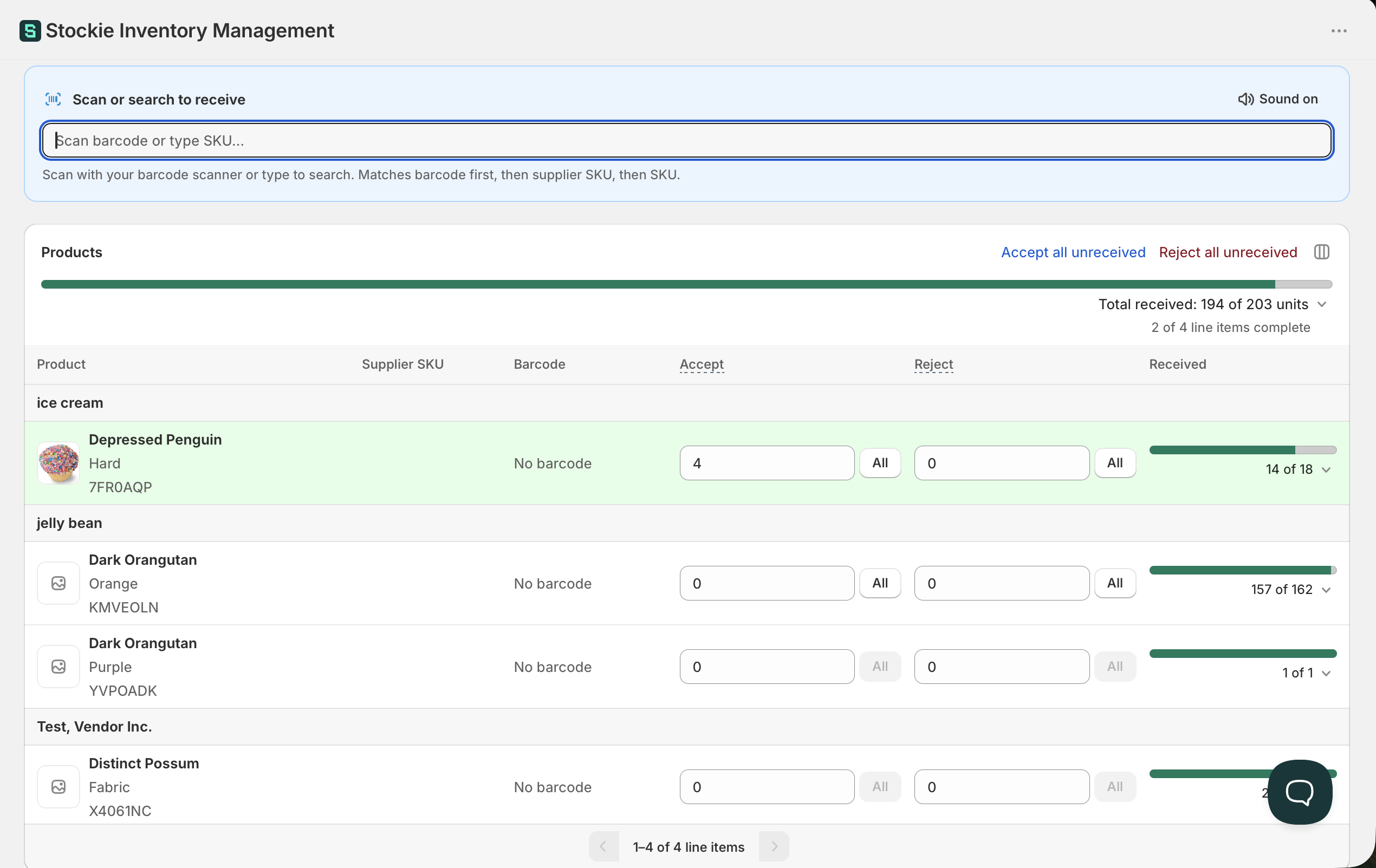
- Click into Scan or search to receive at the top of the screen.
- Scan each item. Every scan adds one to the matching line's Accept quantity, or more if you have set Units per scan.
Stockie jumps to the line you just scanned and highlights it, so you can see the count climb without hunting for the row.
Scanning a case or pack
If a supplier's cases carry a barcode and you would rather scan the case than every unit inside it, you can set how many units each scan adds.
- Click the Units per scan button at the top right of the scan panel, beside Sound on. It shows the current setting, starting at Units per scan: 1.
- Enter a whole number, for example 12 for a case of twelve.
- Click Apply.
Every scan now adds that many units to the matching line's Accept quantity, and the scan log shows how many each scan added. While the setting is above 1 the button is highlighted, so it is easy to spot before you scan a loose unit. Click Reset to 1 in the same popover to go back to single units.

A few things worth knowing:
- The setting applies to every line you scan, so it suits a delivery where you are scanning the same size of case. For a mixed delivery, you can change it as you go
- It stays set while you work on that order's receive screen, including after you save a receipt. It starts again at 1 when you open the receive screen, and it does not follow the pack size set on the purchase order line
- Changing it only affects scans from then on. Quantities already on the screen stay as they are
Which scanners work
Any barcode scanner your computer treats as a keyboard - which covers most wired USB and Bluetooth models. There is nothing to install or pair inside Stockie.
The two-minute test: plug the scanner in, click into any text field, and scan something. If the code types itself into the field, it will work here.
Scanning needs a computer or laptop with the scanner attached, and a phone camera is not a scanning option.
What a scan matches on
Stockie tries three things in order: the barcode, then the supplier SKU, then the SKU.
So an item with no barcode is not a dead end - if its supplier SKU or SKU is on the variant, scanning that code still finds the line.
Undoing a scan
Each scan appears in the scan log beside the field, with an Undo control and how long ago it happened. Use it for a double scan or a code read off the wrong box.
There is no time limit - a scan stays undoable until you undo it or it drops off the log, which keeps your last 50 scans and shows the most recent 10 until you expand it.
Undo works back from your most recent scan on a line, so to unwind two scans of the same item, undo the newer one first.
Undoing a scan takes off exactly what that scan added, even if you have changed Units per scan since.
If you type a quantity into a line's Accept field yourself, Stockie keeps your figure and the earlier scans on that line can no longer be undone from the log. Any scans on that line after your edit can still be undone.
When a scan does nothing
- The code has to be on the variant in Shopify as its barcode, supplier SKU or SKU. A code printed on the carton but stored nowhere cannot be matched
- The scan field has to be focused. Click into it before you start
- If the scanner types into other applications but not here, check the field is focused rather than the scanner
Scanning more than you ordered
Stockie flags it rather than silently accepting, so a mis-scan or an over-delivery is visible while you are still counting.