Shipping, duties and landed costs
Available on: Pro Plus.
The price on the line is rarely what the stock actually costs you. Shipping, duties and fees can all be added to a purchase order so the total reflects what you are really paying.
Adding costs beyond the line items
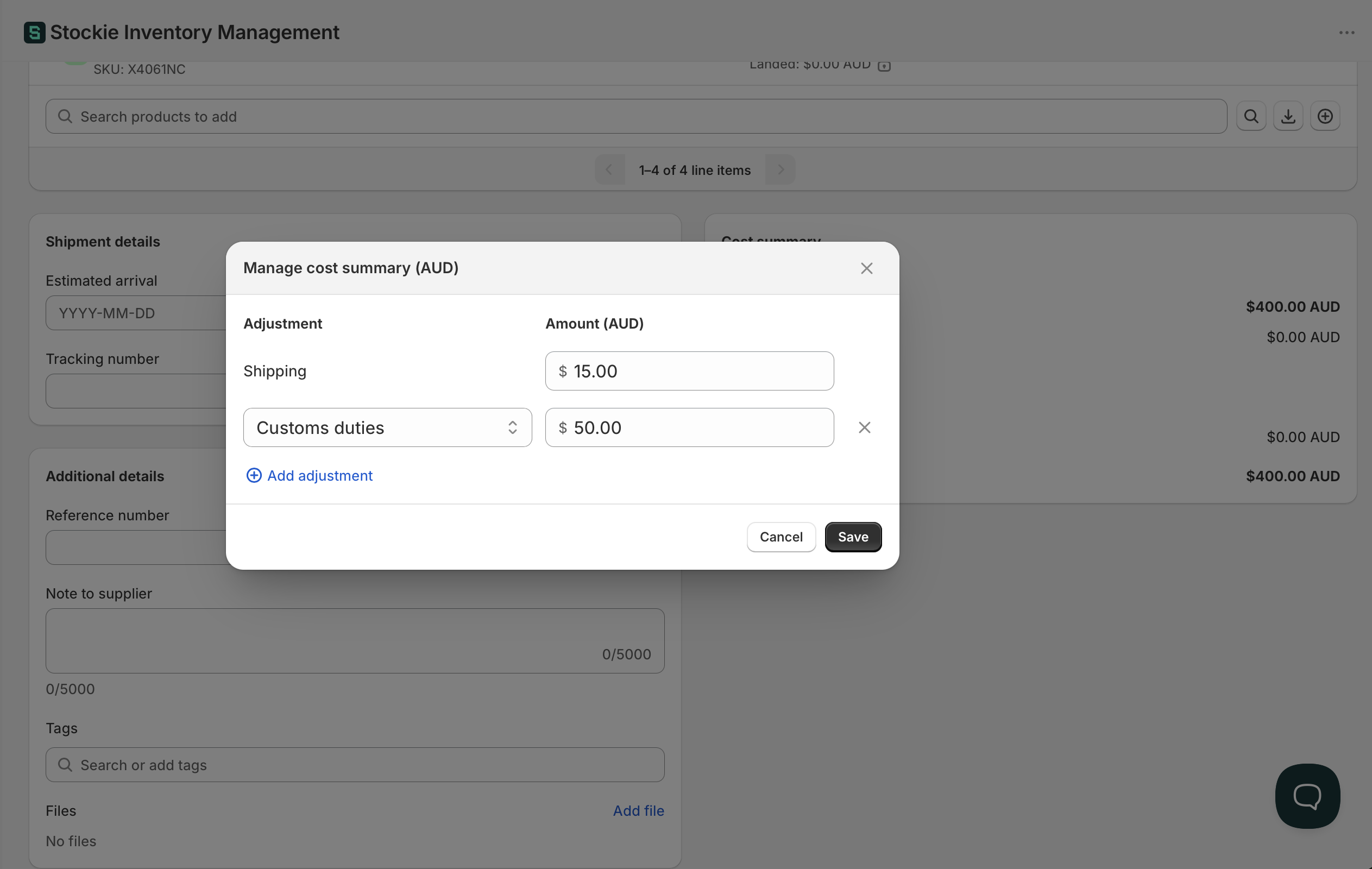
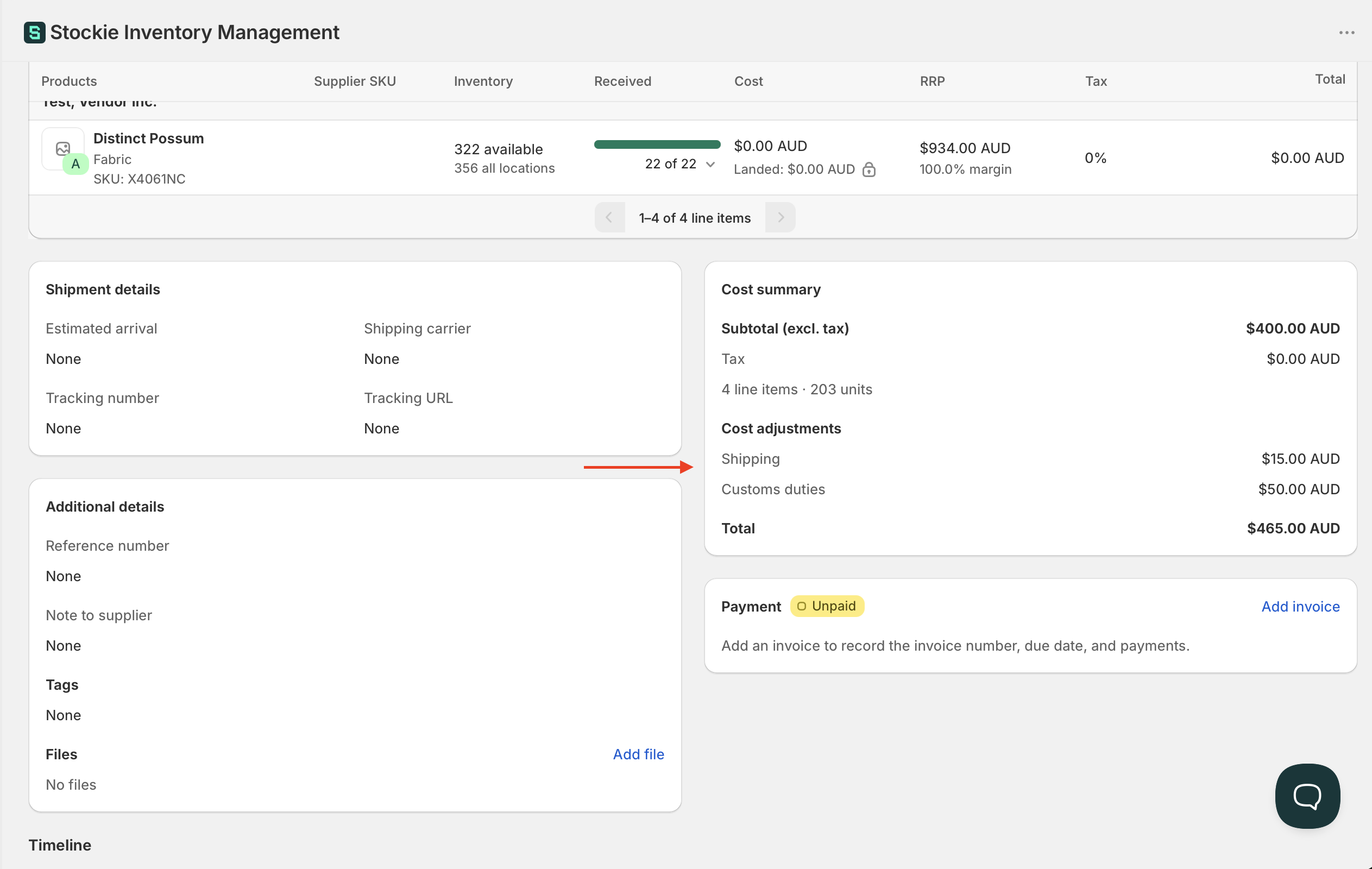
On the purchase order, open Cost summary and choose Manage.
Shipping has its own row at the top, with its amount and a Shipping tax rate beside it. Shipping is taxed separately from the goods, and your purchase tax never applies to it - see taxes on purchase orders.
Below it you can add as many further cost lines as you need, each with a type and an amount:
- Customs duties
- Discount
- Foreign transaction fee
- Freight fee
- Insurance
- Rush fee
- Surcharge
- Other
Discounts
Choose Discount as the type and Stockie treats the amount as a reduction - enter it as a positive number and it is subtracted for you, so there is no need to type a minus sign.
A discount goes into the same pool as the charges and is spread the same way, by value. It reduces what each line absorbs rather than being applied to any one product.
Shipping is the exception: it is a separate field rather than an adjustment, and its amount cannot be negative. Record a shipping refund or credit as a discount line instead.
Discounts carry no tax rate of their own. Only shipping does.
Naming your own charge
If none of the types fit, choose Other. The dropdown turns into a text box and you type your own wording in its place - a levy, a container deposit, a handling charge.
How the costs are spread across your products
Added costs are allocated by value, not evenly per unit. A line worth more of the order absorbs more of the shipping.
On a £1,000 order carrying £100 of freight, a line accounting for 40% of the order's value takes £40 of that freight, however many units it holds. A £500 machine therefore carries far more of the shipping than a £5 accessory on the same order.
That is usually what you want, since value tends to track bulk and handling better than a flat per-unit split. Where an order has one heavy cheap item and one light expensive one, it will not match reality - value is the rule regardless.
Two details worth knowing:
- Costs are allocated as you receive, against the units you accept, rather than all at once when the order is placed. Receiving in parts spreads the pool across those receipts.
- Rejected units do not absorb cost. Their share goes back into the pool for the units you did accept.
When these reach your product costs
Added costs are always allocated. Whenever you receive stock, Stockie spreads the order's added costs across the units you accepted and records a landed unit cost against each receipt line. That happens on every receive, whether or not average cost tracking is on, and it is what the landed cost figures in your purchase order reports are built from.
What average cost tracking changes is whether that landed cost carries through to the product itself.
With average cost tracking on, receiving blends each line's landed cost into that product's running average cost, so the cost you see against the product reflects what you actually paid to get it onto your shelf.
Without it, the landed cost stays with the purchase order and its receipts. You can see and report on it there, but the product's own cost is unaffected.
What this does not do yet
- One shipping charge cannot be split across several purchase orders. If a single shipment covers three orders, divide the charge yourself and add each share to its own order
- Costs that arrive after the goods - a freight invoice that turns up weeks later - cannot be applied retrospectively. You can still edit the order's costs, but what is already received keeps the landed cost it was given at the time. On a partly received order the change is picked up by the units you receive from then on