Bundles and component demand
Available on: Pro and above.
When you sell a bundle, the demand belongs to the components inside it - those are the variants you reorder. Stockie attributes bundle sales back to the component variants, so a component's velocity reflects both its direct sales and the bundles it went out in.
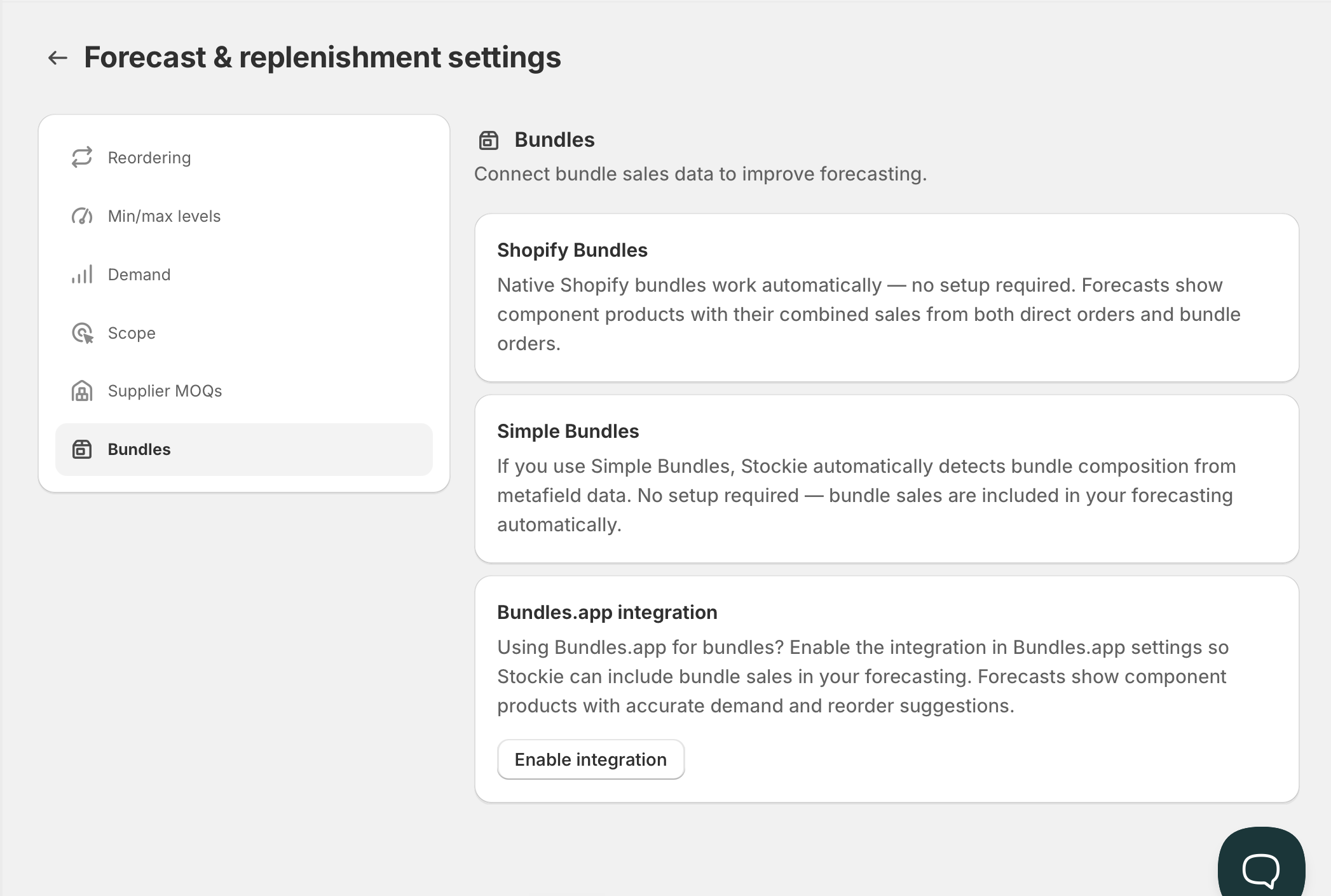
Whether that works depends on which bundles app you use. Check yours at Forecast & replenishment → Manage settings → Bundles .
What is supported
Native Shopify bundles work automatically. No setup. Forecasts show component products with their combined sales from direct orders and bundle orders.
Simple Bundles works automatically. Stockie detects bundle composition from the metafield data Simple Bundles writes, so bundle sales are included without you configuring anything.
Bundles.app needs one step: enable the Stockie integration inside Bundles.app's own settings. The Bundles screen in Stockie links straight to it. Until that is enabled, bundle sales are not attributed.
Checking that attribution is working
Sell a bundle, run the forecast, then look at a component variant.
If attribution is working, the component's sales velocity accounts for the units that went out inside bundles. If the component's velocity only reflects its direct sales, the bundle sales are not being attributed - and its reorder point and suggested quantity are both too low.
This is worth checking deliberately, because nothing errors when it fails. The forecast simply understates demand for every component you sell in bundles.
Custom or agency-built bundles
Stockie reads bundle composition from Shopify metafields. If your bundles were built by an agency or custom development, the component relationships have to exist as metafield data for Stockie to find them.
Where they do, attribution works the same way as a supported app. Where they do not, bundle sales stay on the bundle product and never reach the components.
Bundle apps that are not supported
Bundle sales are recorded against the bundle product and are not decomposed. Component demand looks lower than it is.
If your app is not one of the three above, check whether it writes component relationships to Shopify metafields - that is what determines whether Stockie can read them.
Bundles you assemble physically
If you build a bundle in advance, give it its own SKU and adjust it into stock as a separate product, Stockie treats it as its own product - because that is what it is.
Sales of it do not decompose into component demand, and the components you consumed were removed by a manual inventory adjustment, which is not a sale. Forecast the assembled SKU on its own, and manage the component draw-down separately.
Draft and master bundle products
A bundle's parent product still lives in your catalogue, and forecast scope applies to it. If a bundle product is draft, or excluded by your scope rules, it will not appear in the forecast - although its components still will, from their own sales.
See Scoping the forecast.