Multi-location forecasting
Available on: Pro and above.
Stockie forecasts each variant at each location separately. A variant selling steadily at your warehouse and barely moving at your shop gets two different velocities, two different reorder points and two different suggestions.
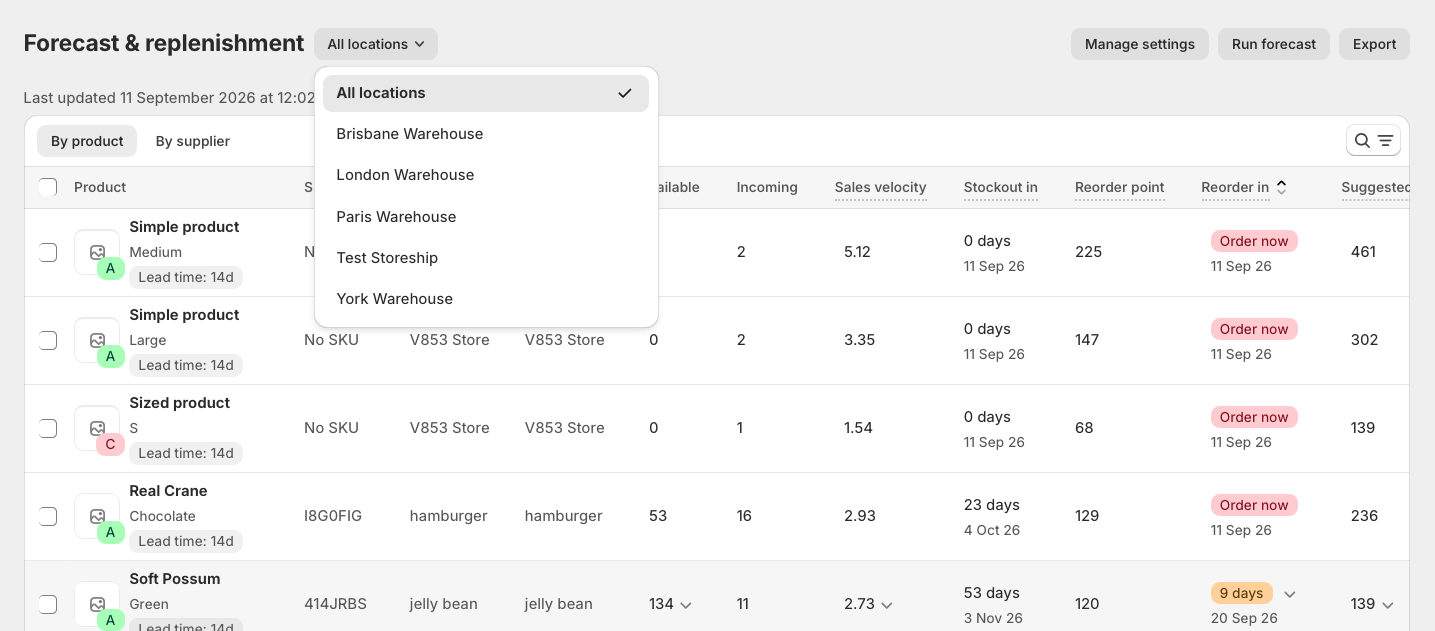
Use the location selector on Forecast & replenishment to choose which view you are looking at.
All locations, or one at a time
All locations shows the combined position across your locations. Use it when you buy centrally and hold stock as one pool - the question you are asking is "how much of this do we own, and do we need more".
A single location shows that location's own position. Use it when each site orders for itself, or when you are deciding what a particular shop needs.
The two answer different questions and will disagree. A variant can look comfortable across All locations while one shop is nearly out.
The numbers will not add up, and that is correct
All locations is worked out fresh for the pool rather than by adding your locations together, so do not expect the per-location figures to sum to it.
The clearest example is stockouts. Velocity ignores days a variant was unsellable, and for the pool a day only counts as unsellable if every location was out of stock. A day when your warehouse was empty but your shop still had stock was a day you could sell, so the pool counts it - even though the warehouse's own velocity does not.
Minimum order quantities and pack sizes are applied after that, to the pooled figure, so a combined suggestion is rounded once rather than once per location.
Which locations are forecast at all
A location has to be in your forecast scope to be calculated. One left out gets no forecast records, and reads as though it holds nothing.
If a location looks empty and you know it holds stock, check Forecast & replenishment → Manage settings → Scope before anything else. See Scoping the forecast.
Demand is attributed to locations
Sales are attributed to the location that made or fulfilled them, so per-location velocity reflects where the selling actually happened rather than splitting your total evenly.
How that attribution works, and the older Sales grouping setting some stores still have, is covered in Configuring demand settings.
Keep locations consistent when ordering
Two places where a location mismatch causes trouble:
- Min/max levels are per location. A level set at your warehouse does not apply at your shop, and a purchase order raised against All locations does not use levels set at a specific one. Set the level and build the order at the same location.
- Suggestions are per location. A purchase order built from one location's suggestions covers that location's need, not your combined need.
If overrides look as though they are being ignored, a location mismatch is the first thing to check.
Ordering for one location, delivering to another
A purchase order has its own destination, so you can order stock for one location and have it delivered somewhere else. That is a property of the order, not a transfer. See Creating a purchase order.
What Stockie does not do
Stockie does not move stock between your locations and does not suggest transfers. A location short of stock is suggested a purchase order even where another location is holding more than it needs.
See Stock transfers: what Stockie does today for the workflow merchants use instead.