MOQs and pack sizes
Available on: Pro Plus.
If a supplier only sells in cases of twelve, or will not take an order under fifty units, Stockie can hold those rules and apply them to your reorder quantities.
What each one does
- Minimum order quantity - the smallest quantity that supplier will accept
- Pack size - the multiple you have to order in. A pack size of 12 means orders round to 12, 24, 36
Where to set them
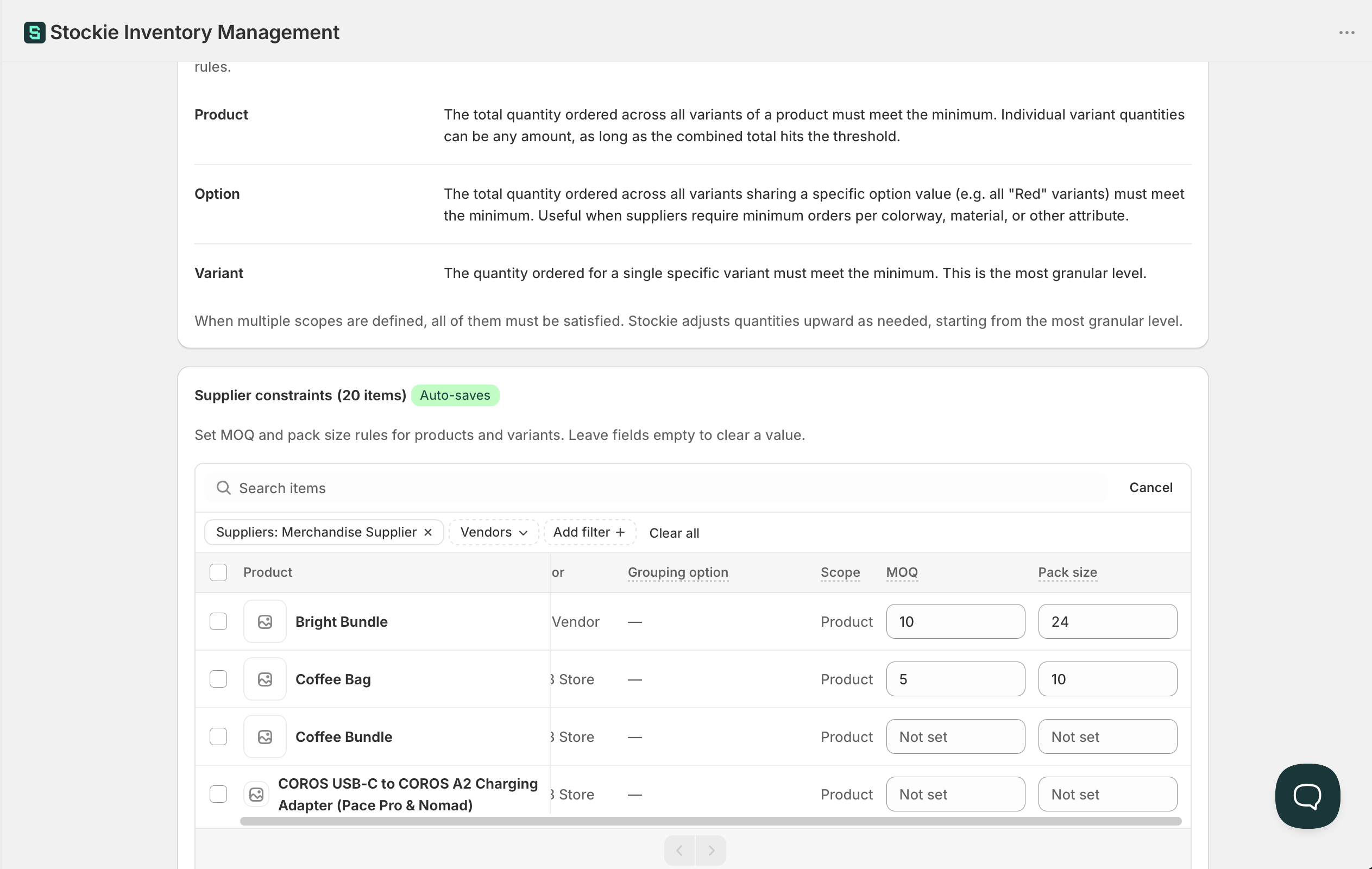
Go to Forecast & replenishment → Manage settings → Supplier MOQs . Set them per supplier, and per product where a supplier's rules differ across their range.
A rule can cover a whole product, one of its option values such as every Large, or a single variant.
Rules are held against the product, option value or variant itself rather than against its name, so renaming an option or one of its values in Shopify leaves your MOQs and pack sizes in place under the new name.
Setting them in bulk
For more than a handful, export the rules to a CSV, edit in a spreadsheet, and import the file back. Both controls are on the Supplier MOQs screen.
The export gives you a row per rule with the product and variant details filled in, so you can sort by vendor or product before deciding what to set.
The file format
Only two things are needed:
| Column | Required |
|---|---|
PRODUCT ID, VARIANT ID or SKU |
One of the three |
MOQ or PACK SIZE |
At least one |
MINIMUM ORDER QUANTITY is accepted in place of MOQ , and PACK in place of PACK SIZE .
The export also carries PRODUCT TITLE , VENDOR and VARIANT TITLE . Those are there to help you read and sort the file and are not read back on import.
SCOPE says what a row targets. It accepts product , option and variant , and each one needs its own columns: PRODUCT ID for a product row, PRODUCT ID with OPTION NAME and OPTION VALUE for an option row, and VARIANT ID or SKU for a variant row. Leave SCOPE blank and it is worked out from the columns you filled in, so a file with nothing but IDs and quantities still imports. A row carrying columns from another scope is reported rather than guessed.
Your file is checked before anything is applied, so problems are reported against their row numbers rather than partly imported.
On a purchase order
Once set, ordering in packs becomes visible on the line: pack size, quantity in packs, and pack cost. Suggested quantities round up to satisfy the rules.
Those pack columns are hidden by default. Turn them on with the columns control on the line items table.
PDF and CSV exports can also print QTY, UOM and UNITS on pack lines, so your supplier reads 2 packs of 24 rather than a bare 48 units. Support switches that layout on per store: see Customising columns, PDFs and exports.
Why a suggestion is higher than you expected
Rounding happens after the forecast works out what you need. If a product needs 7 units and the pack size is 12, the suggestion is 12. Where a min/max level is also set, rounding can push the quantity past the max - the pack rule wins, because ordering 11 is not an option your supplier accepts.
Pack sizes typed on a purchase order are not saved
Entering a pack size directly on a purchase order line applies to that order only. It is not remembered for next time. To have pack sizes fill in automatically, set them in Supplier MOQs.