Shipping to a custom address
Available on: Pro Plus.
A purchase order normally ships to one of your Shopify locations. When it needs to go somewhere else - straight to a customer, or to a warehouse that is not set up as a location - you can enter the address yourself.
Setting a custom address
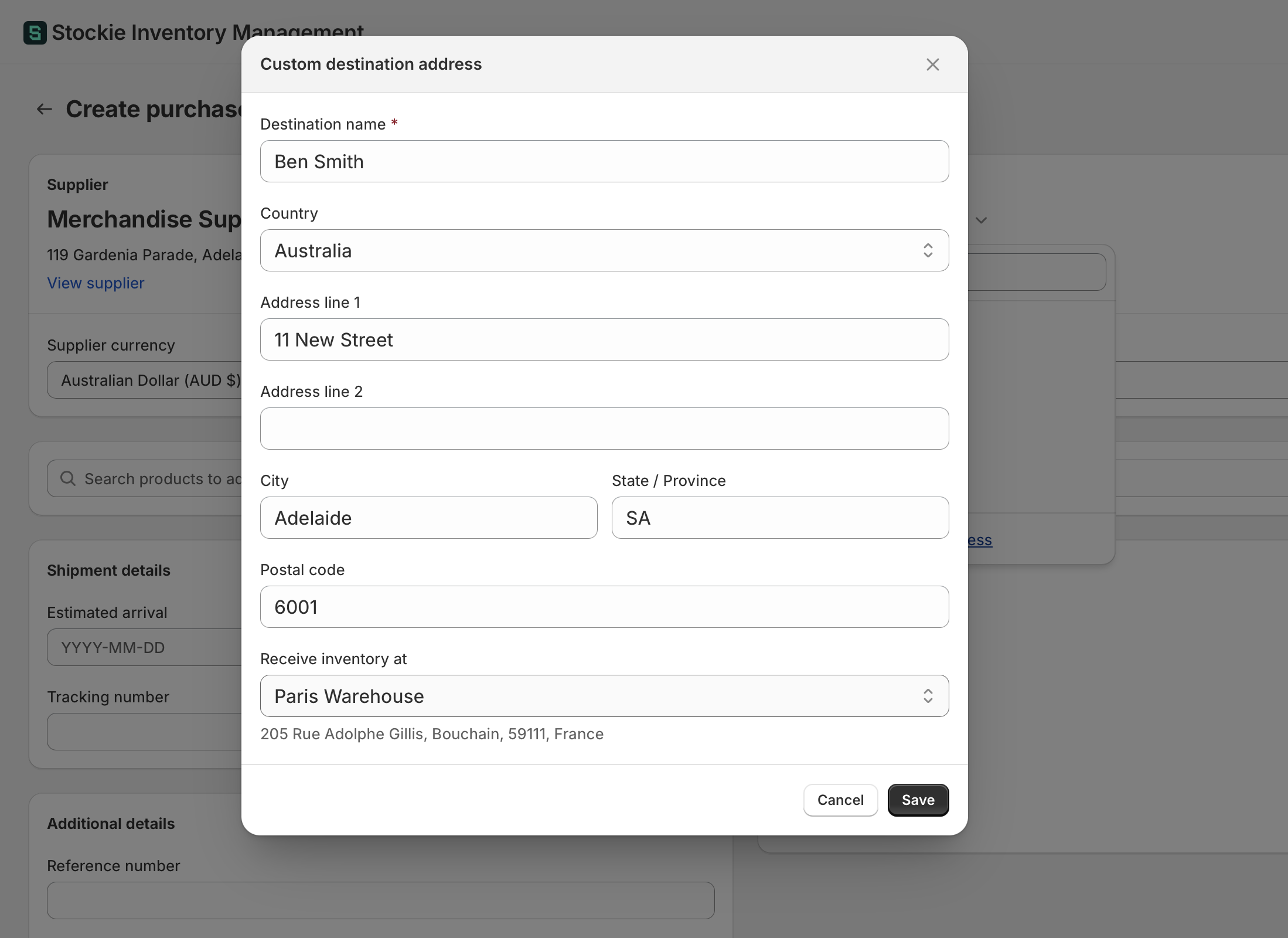
On the purchase order, open the destination picker and choose Use custom shipping address at the foot of the list. Give the destination a name - that is how it appears on the order - and enter the address the supplier should ship to.
Once set, Edit address on the order reopens it if anything needs changing.
The address is entered per order. It is not saved as a location or offered on your next purchase order, so a destination you use often is worth setting up as a Shopify location instead.
Choosing where the stock is received
In the same dialog, set Receive inventory at to one of your Shopify locations.
These two are separate on purpose. The address tells your supplier where to send the goods; the receive location tells Stockie which location's stock to update when you receive the order.
Set it if your store writes inventory to Shopify. Without a receive location there is nowhere to put the stock, so receiving the order updates nothing. Stores that only track orders in Stockie can leave it empty.
What that means for your stock
Receiving still updates inventory at the receive location you chose, exactly as it would for a normal order. If the goods never physically arrive there - because they went to a customer - your stock at that location will read high unless you account for it.
For a genuine drop-shipment where the stock never touches your business, think about which location makes sense to receive against, and whether the sale that consumes it is recorded in Shopify.
Creating a purchase order from a customer's order
Building a purchase order directly from a Shopify order, line for line, is not something Stockie does. You can enter a custom shipping address on a purchase order you build yourself, but the two are not linked.